10 guidelines to secure your data backup
Data backups are essential to effective security, but backup mismanagement can often increase security woes. Luckily, there are some best practices that can help.

Data backups are an essential element of good storage security and overall business resilience, but they're often the source of many security woes. In fact, a significant percentage of security breaches can be attributed to the mismanagement of data backups. The headlines and security surveys underscore the reality that adequate data backup controls are lacking. As much as people dislike the term best practices, they're certainly needed when it comes to fleshing out an enterprise data backup plan.
In recent years, millions of sensitive business records have been compromised in backup-related gaffes. And these are just the known breaches affecting personal information. There's little doubt that unknown and unreported data backup-related compromises affecting all types of sensitive information -- including intellectual property -- are just as plentiful. Not having a solid backup infrastructure or good fallback plan for when the going gets rough can lead to one of the worst possible outcomes in security.
Many storage professionals responsible for backups believe that the mere existence of a process for replicating sensitive data is all that's needed to keep the organization secure. But that's only half the battle. It's what can be done with the data backups after the fact that introduces an entirely different set of risks that are often overlooked. Therefore, it's important to include secure data backup guidelines as part of the overall enterprise information security program.
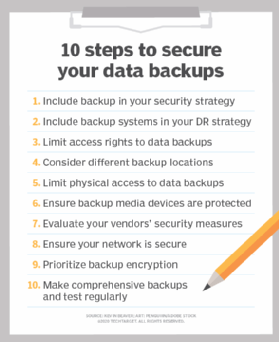
Here are 10 ways you can ensure that your data backups -- both local and in the cloud -- are kept secure and protected from threats such as ransomware, malicious insiders and external hackers:
1. Include backup in your security strategy
Ensure your security policies include backup-related systems within their scope. Practically every type of security policy -- from access control to physical security to system monitoring and, especially, malware protection -- applies directly to data backups.
2. Include backup systems in your DR strategy
Include your data backup systems in your disaster recovery and incident response plans. Data backups can be breached, compromised or destroyed in situations such as a ransomware outbreak, employee break-in or something environmental including a flood or hurricane. Otherwise, good backups can be adversely affected and you must have a plan outlining what you're going to do if and when that time comes.
3. Limit access rights to data backups
Assign backup access rights only to those who have a business need to be involved in the backup process. This goes for backup software as well as the actual backup files. Don't overlook systems that are both on the local network and in the cloud that provide backup access.
4. Consider different backup locations
Store your backups offsite or at least in another building. A natural disaster, a fire or other rare, yet impactful, incident could be all that's needed to take out your data center and your backups in one fell swoop.
5. Limit physical access to data backups
However you choose to store your backups -- on backup servers, NAS, or even external drives or tapes-- be sure that access is adequately controlled in those facilities. Handle your backup files as you would any other critical hardware. You might be able to validate this via SOC audit reports, independent security assessment reports or your own audits.
6. Ensure backup media devices are protected
Although the common practice today is to store backups on hard disk or solid-state drives, some backups are still stored on portable drives, tapes and related media. When this is the case, use a fireproof and media-rated safe. Many people store their backups in a "fireproof" safe, but often one that's only rated for paper storage. Backup media such as tapes, optical disks and magnetic drives have a lower burning/melting point than paper and a standard fireproof safe only serves to provide a false sense of security.
7. Evaluate your vendors' security measures
Find out the security measures that your data center, cloud and courier service providers are taking to ensure that backups remain safe in their hands. Although lawyers like good contracts, they're not enough. Contracts do offer fallback measures, but they won't keep sensitive data from being exposed in the first place, so make sure reasonable and consistent security measures are in place and fall under the umbrella of the business vendor management initiatives.
8. Ensure your network is secure
Store backups on a separate file system or cloud storage service that's located on a physically or logically separated network. Unique login credentials outside of the enterprise directory service are ideal to help minimize ransomware-related risks. Multifactor authentication can add an additional layer of security in your backup environment.
9. Prioritize backup encryption
Encrypt your backups wherever possible. As with laptop computers and other mobile devices, backup files and media must be encrypted with strong passphrases or other centrally managed encryption technology, especially if they're ever removed from the premises. Encryption implemented and managed in the right way serves as an excellent last layer of defense. It also helps provide peace of mind, knowing that the worst outcome is that your backup files have been lost or otherwise tainted but not accessed. This can be particularly beneficial when it comes to compliance and data breach notification requirements.
10. Make comprehensive backups and test regularly
You've heard it a thousand times, but it deserves repeating: Your backups are only as good as what's on the backup media. There are two sides to this coin. First, make sure you're backing up everything that's important. Many backups are server- or application-centric, but what about all that unstructured data scattered about your network and in the cloud that isn't getting backed up? Second, test your backups occasionally, especially if you're not getting any errors on your backups. There's nothing worse than attempting to recover from a loss, only to find out your backups are not legitimate or that you've backed up the wrong data or no data at all.
Odds are that some of these data backup weaknesses exist in your shop. It'll pay to find out where you're vulnerable before you're affected by ransomware, data loss or a similar event. Look at both your data backup processes and systems to identity where the gaps are on a regular basis or hire an unbiased third-party to find the holes. It's usually little problems like these that aren't so obvious to uncover but, oh, so painful to deal with when the time comes.